
Free AI Guardrails Starter Kit for founders and owners
Set up AI your team can trust, in about 45 minutes.
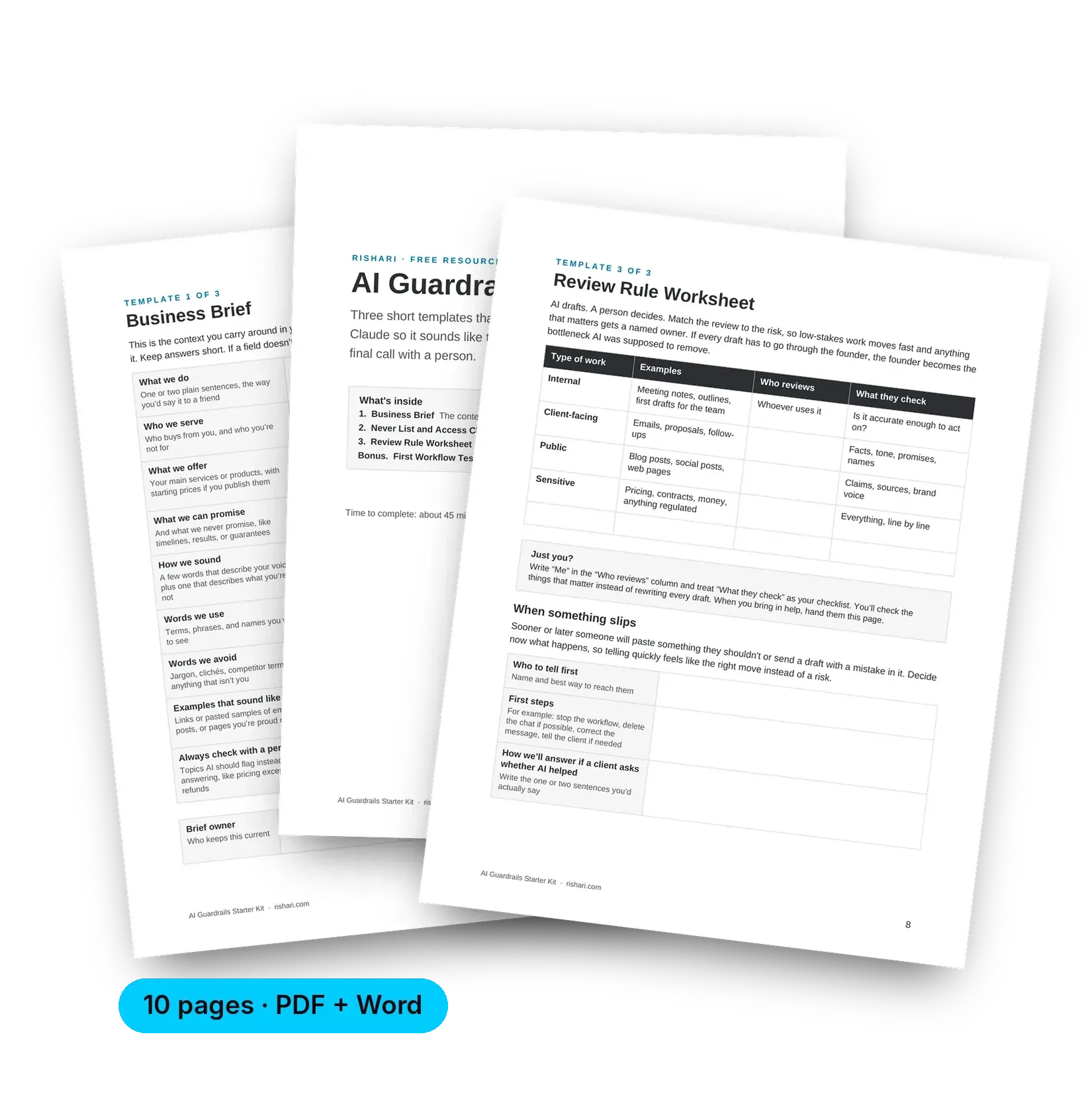
Three short templates for ChatGPT or Claude: a Business Brief, a Never List and Access Check, and a Review Rule Worksheet. Fill them in once, and every draft starts closer to done.
Loading the form…
The form didn't load, which usually means an ad blocker is on. Pause it and refresh, or email hello@rishari.com and we'll send the kit over.
Free. We'll email you the kit and one short follow-up. Unsubscribe anytime.
It's on the way.
Check your inbox in the next few minutes. If you'd like to get started right now, the kit is ready below.
Sound familiar?
The drafts come back generic, and the fixing lands on you.
You pay for an AI tool. Your team uses it. But nobody wrote down what it should know about the business, what's off-limits, or who checks the work before it goes out.
So every chat starts from scratch. Someone pastes in something they probably shouldn't. And the drafts that do come back sound like everyone else, which means they end up on your desk to rewrite.
This kit helps you make those decisions once, in one sitting, so your team can move without checking with you every time.
What's inside
Three templates and two extras you can use today.
Type straight into the PDF or Word file, or print it. Save it somewhere the business owns, and share it with everyone who uses AI for work.
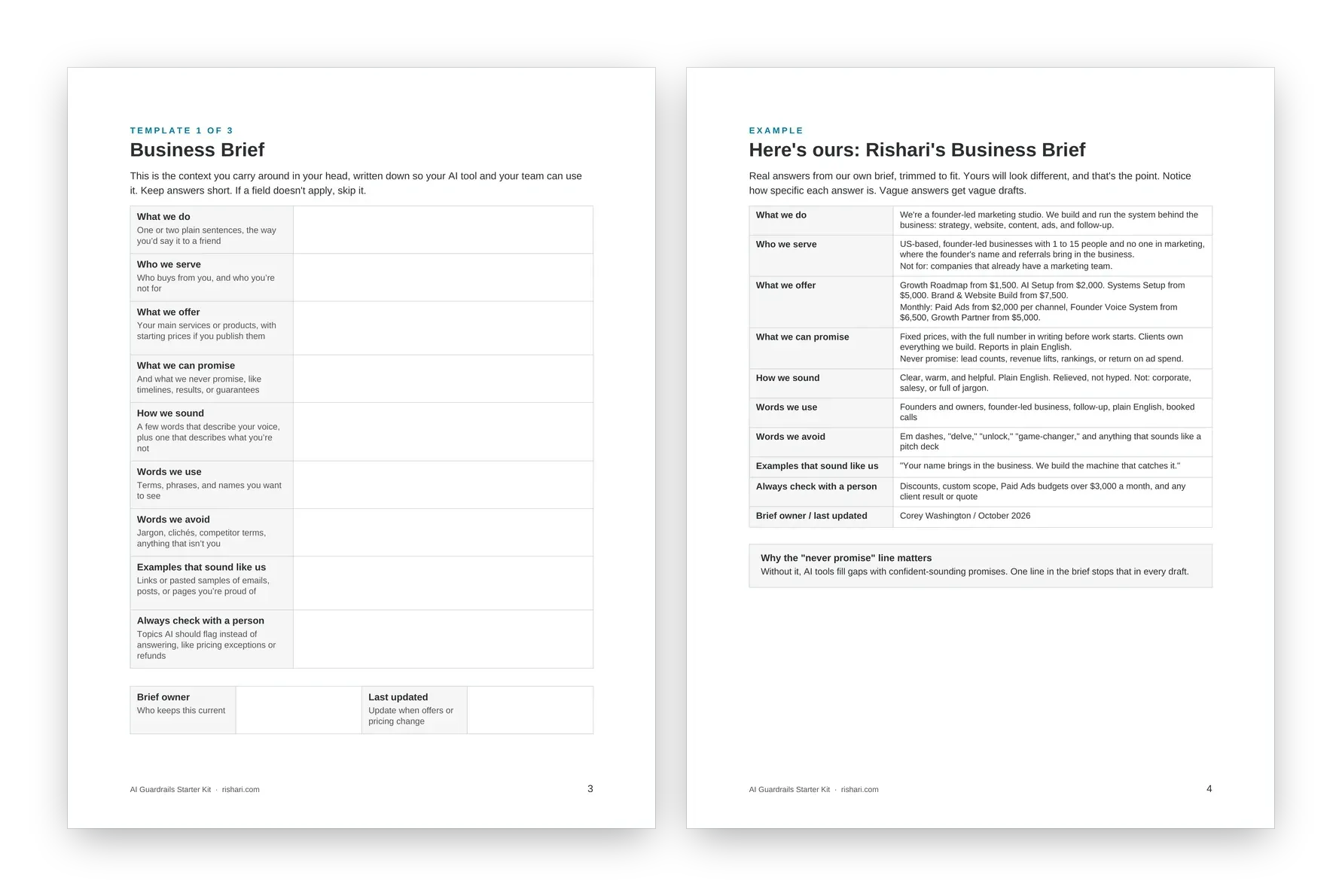
01 · Business Brief
The context your AI tool needs, every single time.
Get what's in your head onto one page: who you serve, what you can and can't promise, how you sound, and the words you avoid. Paste it into your tool's project or custom instructions and stop re-explaining your business.
- Nine short fields, with our own filled-in brief as an example
- Setup steps for ChatGPT and Claude, plus a two-minute test
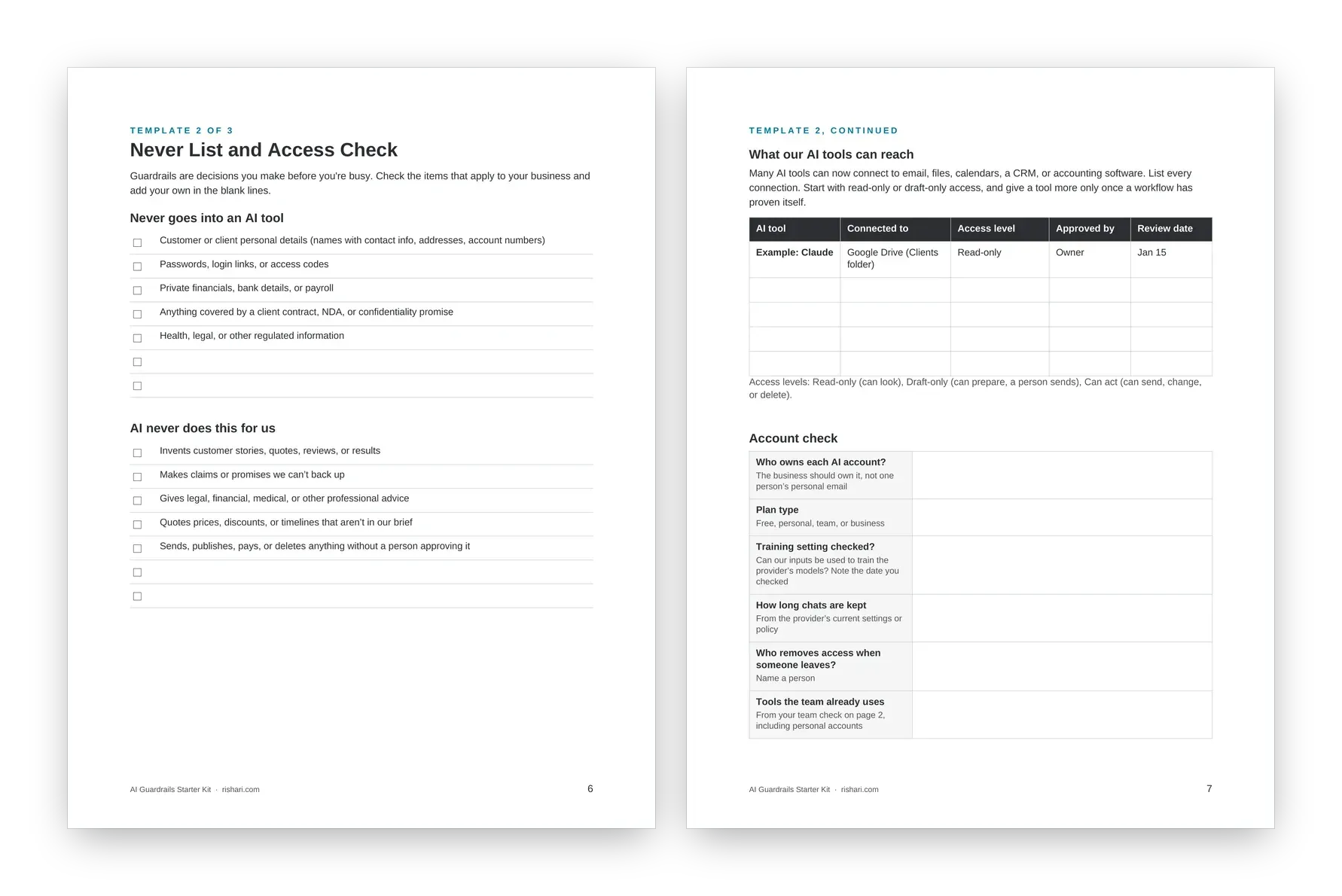
02 · Never List and Access Check
Decide what stays out, and what the tool can reach.
Check off what never goes into AI and what AI never does for you. Then list every tool connected to your email, files, or CRM, its access level, and who approved it.
- Read-only, draft-only, or can-act access, side by side
- An account check for ownership, plan type, and data settings
03 · Review Rule Worksheet
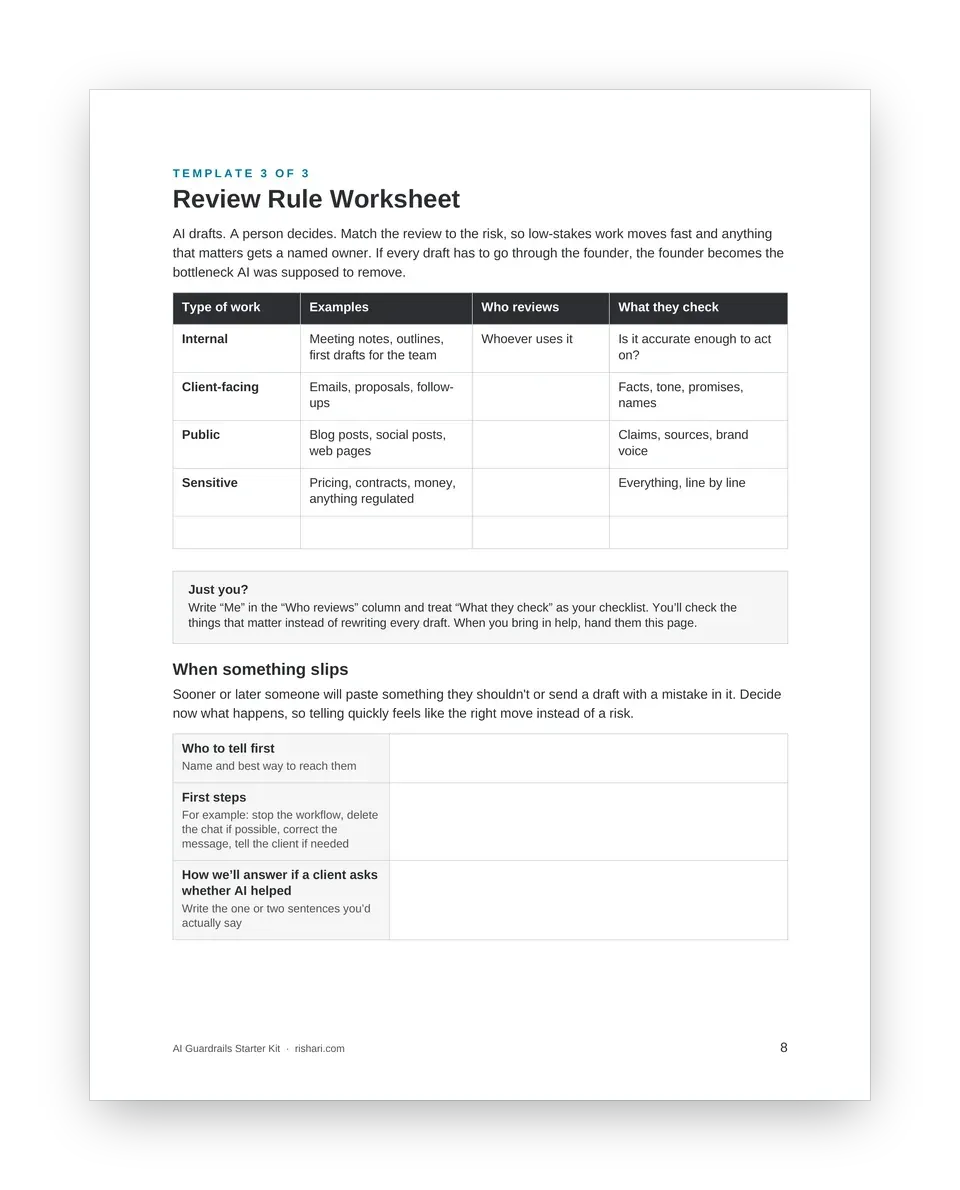
Match review to risk, so you're not the bottleneck.
Internal notes get a quick look. Client emails and public posts get a named owner. Pricing, contracts, and anything sensitive get a close read. You decide who handles each one, and what happens when something slips.
- Four types of work, from internal to sensitive
- A simple plan for mistakes, written before you need it
- A note for solo founders, so it works even if it's just you
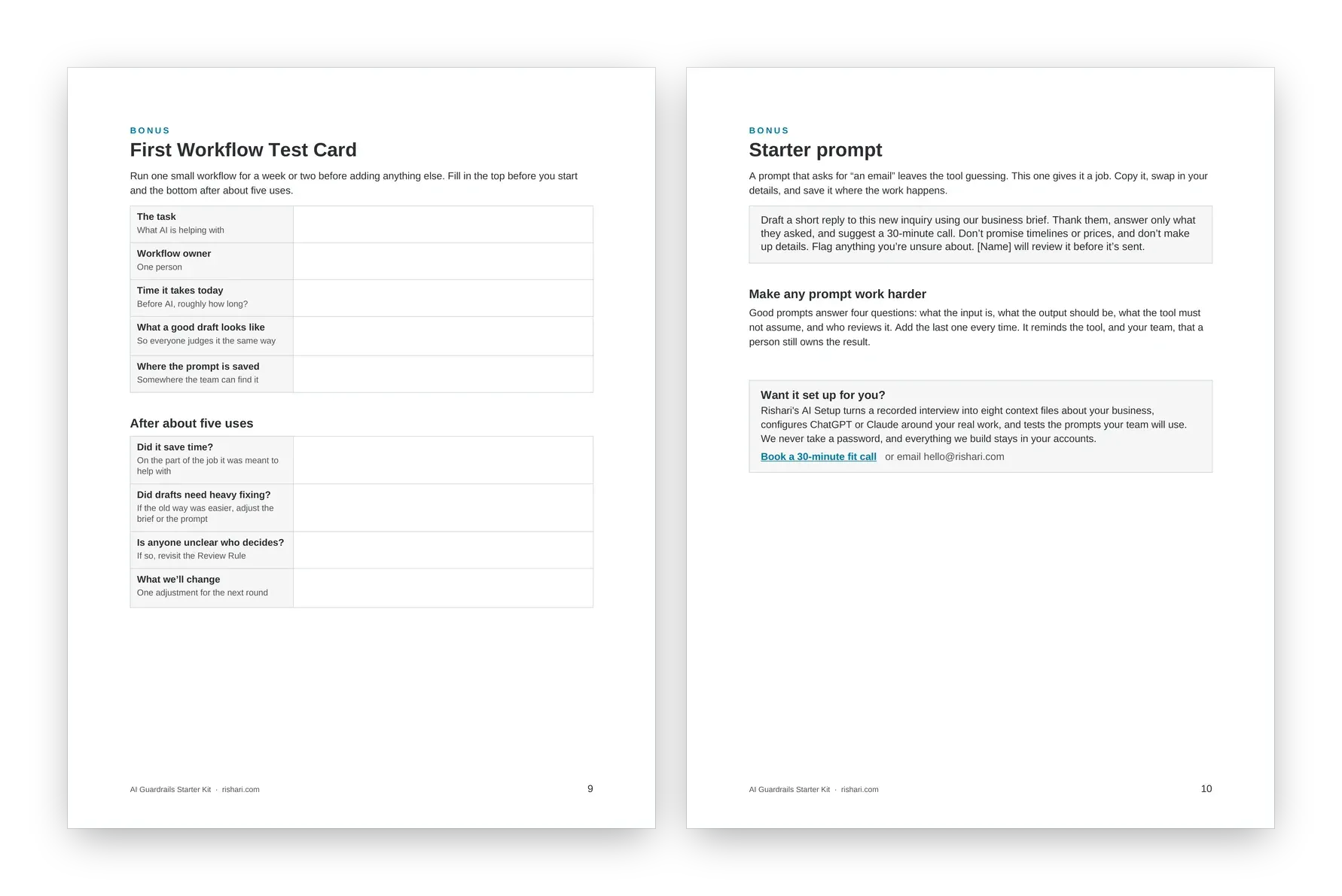
Extras · Test Card and Starter Prompt
Try one workflow and know if it's working.
Note how long the task takes today, run it for a week or two, then check whether it actually saved time. The starter prompt drafts replies to new inquiries for you, with a person reviewing each one before it's sent.
One sitting. Three steps.
None of it has to be perfect on the first pass. A rough version you actually use beats a polished one in a folder.
1
Ask your team what they use
Most people have already tried AI on their own. Their answers show you where it helps and where your rules need to start.
About 5 minutes
2
Fill in the three templates
Start with the Business Brief. Each template builds on the one before it.
About 35 minutes
3
Paste, share, and put it on the calendar
Load the brief into your AI tool, share the rules with your team, and set a check-in about three months out.
About 5 minutes
A note from Corey
AI can draft. A person decides. This kit helps you write it down so it actually sticks.
I spent years building marketing systems for enterprise brands at Salesforce, Bluewolf (IBM iX), and Moxie (Publicis) before starting Rishari. The tools have changed a lot since then. What makes them work hasn't: clear context, clear limits, and someone who owns the result. That's all this kit asks you to decide.
Corey Washington
Founder and CEO, Rishari
Questions
Before you download
Is it really free?
Yes. Enter your name and email, and we'll send you the kit plus one short follow-up. You can unsubscribe anytime.
Which AI tools does it work with?
It's written with ChatGPT and Claude in mind, but the templates work with most AI tools that let you save instructions or projects.
Do I need to be technical?
No. Every template is plain English, and you can fill it in on screen or on paper. If you can write an email, you can finish this kit.
Can I share it with my team?
Please do. The kit works best when everyone who uses AI for the business has read the Never List and the Review Rule.
Is this legal advice?
No. It's a practical starting point. If your business handles health, financial, legal, or other regulated information, or your client contracts include confidentiality terms, check with your legal or compliance advisor before using AI on that work.
Make the decisions once. Let the team move.
Get the free AI Guardrails Starter Kit and set up AI that sounds like your business and leaves the final call with a person.
Rather have it set up for you? See AI Setup.